5 Best Document Translators Online in 2026 (PDFs, Word, PowerPoint & More)
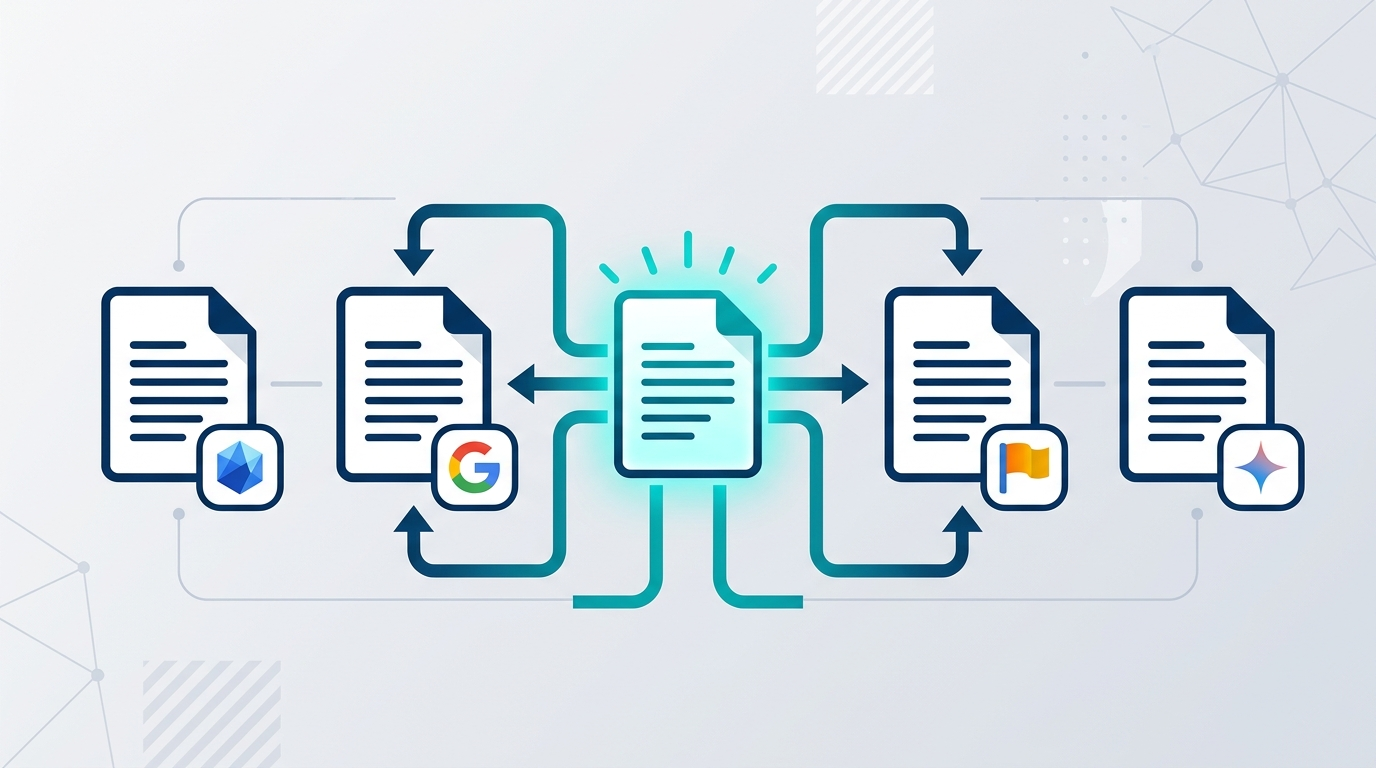
Translating a document used to mean one thing: copy your text, paste it into Google Translate, and spend the next hour fixing broken formatting. In 2026, that workflow is obsolete. A new generation of AI-powered document translators can handle entire PDF, Word, PowerPoint, and Excel files — preserving tables, layouts, and formatting — in seconds.
But with so many tools competing for your attention, which one is actually worth using?
This guide compares the 5 best online document translators in 2026 — tested on real-world criteria like translation accuracy, formatting preservation, supported file formats, language coverage, and pricing. Whether you need to translate a single PDF or process hundreds of documents across multiple languages, there is a tool on this list built for your workflow.
What Makes a Great Document Translator in 2026?
Before jumping into the comparison, here is what separates a genuinely useful document translator from one that wastes your time:
Formatting preservation is the single most important factor. A translator that extracts raw text and returns it as a plain .txt file forces you to rebuild your entire document. The best tools return a translated file that looks nearly identical to the original — same layout, same tables, same fonts.
Multi-engine flexibility matters more than most users realize. No single translation engine dominates every language pair. DeepL leads for European languages, Google Cloud covers the widest range, Microsoft Azure excels in enterprise environments, and Gemini AI handles nuanced, context-rich content. A tool that lets you choose your engine gives you the best output for every use case.
File format support determines whether the tool fits your real workflow. PDF, DOCX, PPTX, XLSX, TXT — and in specialized cases, code files like .py, .ts, and .js — should all be on the table.
Language coverage and pricing transparency round out the checklist. You should never have to guess what you will pay before uploading a file.
With those criteria in mind, here are the five best document translators online right now.
1. DocTranslating — Best for Multi-Engine AI Translation
Website: doctranslating.com Best for: Users who want to choose their translation engine, translate code files, and process multiple document formats without formatting loss Pricing: Free tier available; character-based paid plans
DocTranslating is the most flexible document translation tool available in 2026. Rather than locking you into a single translation engine, it lets you choose from four of the most powerful AI translation systems in the world: DeepL, Google Cloud Translation, Microsoft Azure Translator, and Google Gemini AI — all from a single interface.
This multi-engine approach is its defining advantage. If you are translating a contract from English to German, you might prefer DeepL for its precision with European language pairs. If you are translating a technical document from English to Hindi or Arabic, Google Cloud's broader language coverage might produce better results. If you are translating marketing copy that needs a natural, conversational tone, Gemini AI handles contextual nuance exceptionally well. DocTranslating puts that choice in your hands before you translate, not after.
Supported file formats: PDF, DOCX, PPTX, XLSX, TXT — and uniquely, code files including .ts, .js, .py, .java, .go, .rs, and more. The Gemini-powered code translation engine translates comments and strings while leaving syntax, functions, and variable names completely intact. No other document translator on this list handles code files.
Language support: 100+ languages depending on the selected engine, covering all major world languages including full RTL support for Arabic and Hebrew.
Formatting preservation: DocTranslating processes native file formats directly rather than extracting raw text first. Your translated PDF, Word document, or PowerPoint file comes back with the original layout, tables, images, and structure intact.
Who it is built for: Freelance translators who need engine flexibility, developers who need to localize code files, businesses translating documents across multiple language pairs, and anyone who has been frustrated by the one-size-fits-all approach of competitors.
Pricing: A free tier is available for getting started. Paid plans are character-based, making costs predictable and proportional to actual usage rather than forcing you into an expensive monthly subscription for occasional document translation needs.
👉 Translate your documents on DocTranslating
2. DeepL — Best for Translation Accuracy in European Languages
Website: deepl.com Best for: Professionals translating within European language pairs who prioritize accuracy above all else Pricing: Free tier available; Starter from $10.49/month, Advanced $34.49/month, Ultimate $68.99/month
DeepL has earned its reputation as the accuracy benchmark for machine translation, particularly for European languages. Its proprietary neural machine translation engine consistently produces translations that read naturally rather than mechanically — a quality gap that is noticeable the moment you compare a DeepL output against Google Translate on the same source text.
For document translation, DeepL Pro supports DOCX, PPTX, and PDF files with good formatting preservation. The paid Starter plan includes 5 document translations per month, which covers occasional professional use. Higher tiers unlock unlimited document translation along with features like Glossaries (for enforcing consistent brand terminology), Translation Memory, and CAT tool integrations that professional translators rely on.
Where DeepL excels: English ↔ German, French, Spanish, Italian, Polish, Dutch, Japanese, Chinese, and Portuguese. If your primary language pairs fall in this range, DeepL's output quality is genuinely hard to match.
Where it falls short: Language coverage beyond its supported set is limited compared to Google Cloud. It does not support code file translation. The free plan's data security limitations — text may be stored to train models — make it unsuitable for confidential business documents without upgrading to a paid plan. The 5-document monthly cap on entry-level plans is also restrictive for high-volume users.
Pricing clarity: Free tier available. Paid plans start at $10.49/month (Starter), $34.49/month (Advanced), and $68.99/month (Ultimate), with discounts available on annual billing.
3. Google Translate — Best Free Tool for Wide Language Coverage
Website: translate.google.com Best for: Quick, free document translation across the widest possible range of languages Pricing: Free for personal use; Google Cloud Translation API has usage-based pricing for developers
Google Translate remains the most accessible document translation tool in the world in 2026, and for many use cases, it is genuinely good enough. Upload a PDF or Word file directly through the Google Translate web interface and it returns a translated version in seconds — no account required, no cost, no file size anxiety for typical documents.
Its defining advantage is language breadth. Google Translate supports over 133 languages, including many lower-resource languages and regional dialects that DeepL does not cover. For a user in Nigeria translating a document to Yoruba, or a researcher in Southeast Asia working with Vietnamese or Thai source material, Google Translate is often the only free option that performs at a usable level.
Where Google Translate excels: Speed, accessibility, language coverage, and zero cost. It is the fastest way to get a rough translation of any document in any language pair. For internal reference documents, personal files, and research materials where polished output is not required, the free tier handles the job well.
Where it falls short: Formatting preservation on complex documents is inconsistent — tables, multi-column layouts, and documents with heavy image integration frequently come back misaligned. Translation accuracy on nuanced business or legal text is noticeably weaker than DeepL, and the free service's data practices mean it is not suitable for confidential documents. It also does not support code files or offer multi-engine flexibility.
Best use case: Quick reference translations, personal documents, and any situation where cost is the primary constraint and a rough translation meets the need.
4. Microsoft Translator (Azure Translator) — Best for Microsoft 365 and Enterprise Workflows
Website: azure.microsoft.com/products/ai-foundry/tools/translator Best for: Organizations running Microsoft 365, SharePoint, or Azure who need translation embedded directly in existing workflows Pricing: Free tier available (up to 2M characters/month); pay-as-you-go from $10/million characters for standard translation
Microsoft Translator is the most underrated tool on this list. Powered by Azure AI Foundry (formerly Azure Cognitive Services), it supports real-time and batch document translation across more than 100 languages using neural machine translation that competes with DeepL on many language pairs — and beats it on several Asian and Middle Eastern languages.
Its most compelling differentiator is deep integration with the Microsoft product ecosystem. If your team lives in Microsoft 365, SharePoint integration means documents in your SharePoint libraries can be translated on demand without leaving the platform. Microsoft Word and PowerPoint have built-in translation features powered by the same engine. Microsoft Teams supports real-time multilingual conversation translation. For enterprises already committed to the Azure ecosystem, this level of native integration eliminates the friction of a separate translation workflow entirely.
Document Translation via Azure: The batch document translation API supports DOCX, PDF, PPTX, XLSX, HTML, TXT, and other formats. It processes entire folders of documents asynchronously — upload a batch of files to Azure Blob Storage and receive translated versions back in the same structure, with formatting preserved.
Compliance and security: Azure Translator carries SOC 1, SOC 2, SOC 3, ISO/IEC 27001, HIPAA, and FedRAMP certifications — making it the strongest option on this list for organizations in regulated industries like healthcare, legal, and finance.
Where it falls short: The setup complexity is higher than consumer-facing tools. Casual users who just want to upload a file and download a translation will find Azure's account structure, Blob Storage configuration, and resource keys more involved than they want to deal with. It is a developer- and enterprise-first product.
Best use case: Teams inside the Microsoft ecosystem, regulated industries requiring compliance certification, and developers building translation into applications or automated document workflows.
5. PDFEquips — Best Free PDF-Focused Tool with Full Document Utilities
Website: pdfequips.com Best for: Users who need to translate PDFs as part of a broader PDF workflow — merging, compressing, converting, and editing alongside translation Pricing: Free for most tools; premium features available
PDFEquips is a different kind of tool on this list. Rather than a dedicated translation platform, it is a comprehensive PDF processing suite — 50+ tools covering merge, split, compress, convert, OCR, watermark, lock, edit, and more — with an integrated Gemini AI-powered PDF translation tool built in.
For users who regularly work with PDFs, this integration is genuinely valuable. Instead of translating a PDF in one tool, then compressing it in another, then converting it to Word in a third, PDFEquips handles the entire workflow in one place. Translate your scanned Arabic contract, run OCR to make it searchable, compress it to a reasonable file size, and convert it to a Word document — all without leaving the platform.
The translation feature is powered by Google Gemini, handling PDF documents up to 25 pages with full layout and formatting preservation. Arabic RTL support is handled correctly, an area where many competing tools fail. Available in six languages (English, Arabic, Spanish, French, Hindi, and Chinese), PDFEquips serves a genuinely global user base.
Who PDFEquips is built for: PDFEquips is trusted by thousands of users worldwide and has been running as a production platform for over two years. It is the right choice for anyone whose primary document format is PDF and who wants translation as one feature within a complete PDF toolkit rather than a standalone product.
Where it fits alongside the others: For pure, high-volume document translation across many file formats, DocTranslating is the stronger dedicated choice. For users whose need is specifically PDF translation integrated with broader PDF management, PDFEquips covers both workflows free of charge.
👉 Explore PDFEquips free tools
Head-to-Head Comparison
| Feature | DocTranslating | DeepL | Google Translate | Microsoft Translator | PDFEquips |
|---|---|---|---|---|---|
| Translation Engine | DeepL / Google Cloud / Azure / Gemini | DeepL (proprietary) | Google NMT | Azure Neural MT | DeepL / Gemini AI |
| PDF Support | ✅ | ✅ | ✅ | ✅ | ✅ |
| Word / DOCX | ✅ | ✅ | ✅ | ✅ | ✅ |
| PowerPoint / PPTX | ✅ | ✅ | ❌ | ✅ | ❌ |
| Excel / XLSX | ✅ | ❌ | ❌ | ✅ | ❌ |
| Code Files | ✅ | ❌ | ❌ | ❌ | ❌ |
| Languages | 100+ | 33 | 133+ | 100+ | 6 UI languages |
| Formatting Preservation | ✅ Excellent | ✅ Excellent | ⚠️ Inconsistent | ✅ Excellent | ✅ Excellent |
| Free Tier | ✅ | ✅ Limited | ✅ | ✅ 2M chars/month | ✅ |
| Enterprise / Compliance | — | ✅ | ✅ | ✅ SOC/HIPAA/FedRAMP | — |
| Multi-Engine Choice | ✅ | ❌ | ❌ | ❌ | ✅ Limited |
How to Choose the Right Tool
Choose DocTranslating if you want the flexibility to pick the best translation engine for each language pair, need to translate code files, or work with multiple document formats (PDF, Word, PowerPoint, Excel) and want everything handled in one dedicated translation platform.
Choose DeepL if your work is concentrated in European language pairs and translation accuracy is your non-negotiable priority. The paid plans are well-priced for individual professionals and small teams.
Choose Google Translate if cost is the primary constraint, you are working with a language pair outside DeepL's supported set, or you need a quick reference translation without setting up an account or paying anything.
Choose Microsoft Translator if your organization runs on Microsoft 365 or Azure, or if you are in a regulated industry (healthcare, finance, legal) that requires HIPAA or FedRAMP compliance certification.
Choose PDFEquips if your work is primarily PDF-based and you want translation as part of a complete PDF workflow — merge, compress, OCR, convert, and translate without switching between multiple tools.
The Bottom Line
Document translation in 2026 has moved far beyond paste-and-translate. The tools on this list can process entire files, preserve complex formatting, and deliver output ready to send to a client — not a rough draft that takes an hour to clean up.
For most users who want quality, flexibility, and the ability to choose the best AI engine for any language pair, DocTranslating is the strongest dedicated document translation tool available today. For users already deep in the PDF ecosystem looking for an all-in-one solution, PDFEquips covers both translation and every other PDF task you will need.
Try both free, and pick the one that fits your workflow.
FAQs: Online Document Translation
Q: Which document translator preserves formatting best? A: DocTranslating, DeepL, and Microsoft Azure Translator all preserve formatting reliably across complex documents. Google Translate is inconsistent on multi-column or heavily designed PDFs.
Q: Can I translate a PDF without losing its layout? A: Yes. DocTranslating, DeepL Pro, PDFEquips, and Microsoft Azure Translator all process PDFs natively and return translated files with the original layout preserved. Avoid tools that only extract raw text.
Q: Is there a free document translator that actually works? A: Google Translate and PDFEquips both offer free document translation. PDFEquips is the better choice for PDFs specifically, while Google Translate covers more languages. DocTranslating and DeepL both have free tiers worth starting with before committing to a paid plan.
Q: Can I translate code files online? A: DocTranslating is the only tool on this list that supports code file translation. Its Gemini-powered engine translates comments and strings in .ts, .js, .py, .java, .go, .rs, and other formats while leaving code syntax completely untouched.
Q: Which document translator supports the most languages? A: Google Translate leads with 133+ languages. Microsoft Azure Translator and DocTranslating both support 100+ languages across their available engines.